Motion Tracking · Computer Vision
Real-Time Motion Capture
A markerless motion capture system that tracks facial landmarks and full-arm joint positions live from a webcam feed, then resolves stereo XYZ coordinates from those keypoints in real time.
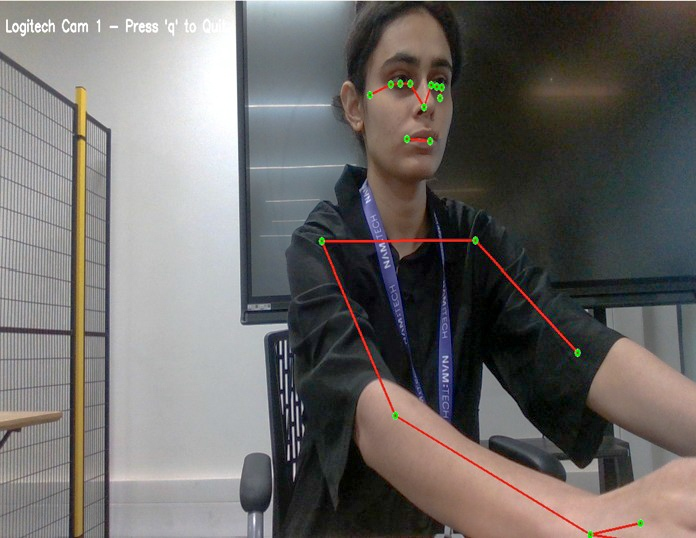
What it is
This project tracks a person's body in real time using nothing but a standard webcam — no motion capture suit, no physical markers, no external sensors. Facial landmarks are picked up around the eyes, nose, and mouth, while the arms are rigged as a skeletal chain across the shoulder, elbow, and wrist. Everything is rendered live as keypoints and connecting lines directly over the video feed, which makes it lightweight enough to run on a laptop.
The tracking pipeline goes a step further than 2D keypoints — it uses a stereo setup to reconstruct approximate X, Y, and Z coordinates for the tracked points frame by frame, so the system understands not just where a joint is in the image, but roughly how far it is from the camera.
How it works
Capture & calibrate
Two camera views are captured and calibrated against a checkerboard pattern to establish a shared coordinate frame between them.
Landmark detection
MediaPipe locates facial and arm landmarks per frame in each camera view — nose, eyes, mouth corners, shoulder, elbow, and wrist points.
Stereo triangulation
Matching landmarks across both views are triangulated to recover real-world X, Y, Z coordinates for each tracked point.
Live overlay & logging
Keypoints and skeletal lines are drawn over the live feed in real time, while the XYZ stream is logged per sample for analysis.
Results: Stereo XYZ Coordinate Tracking
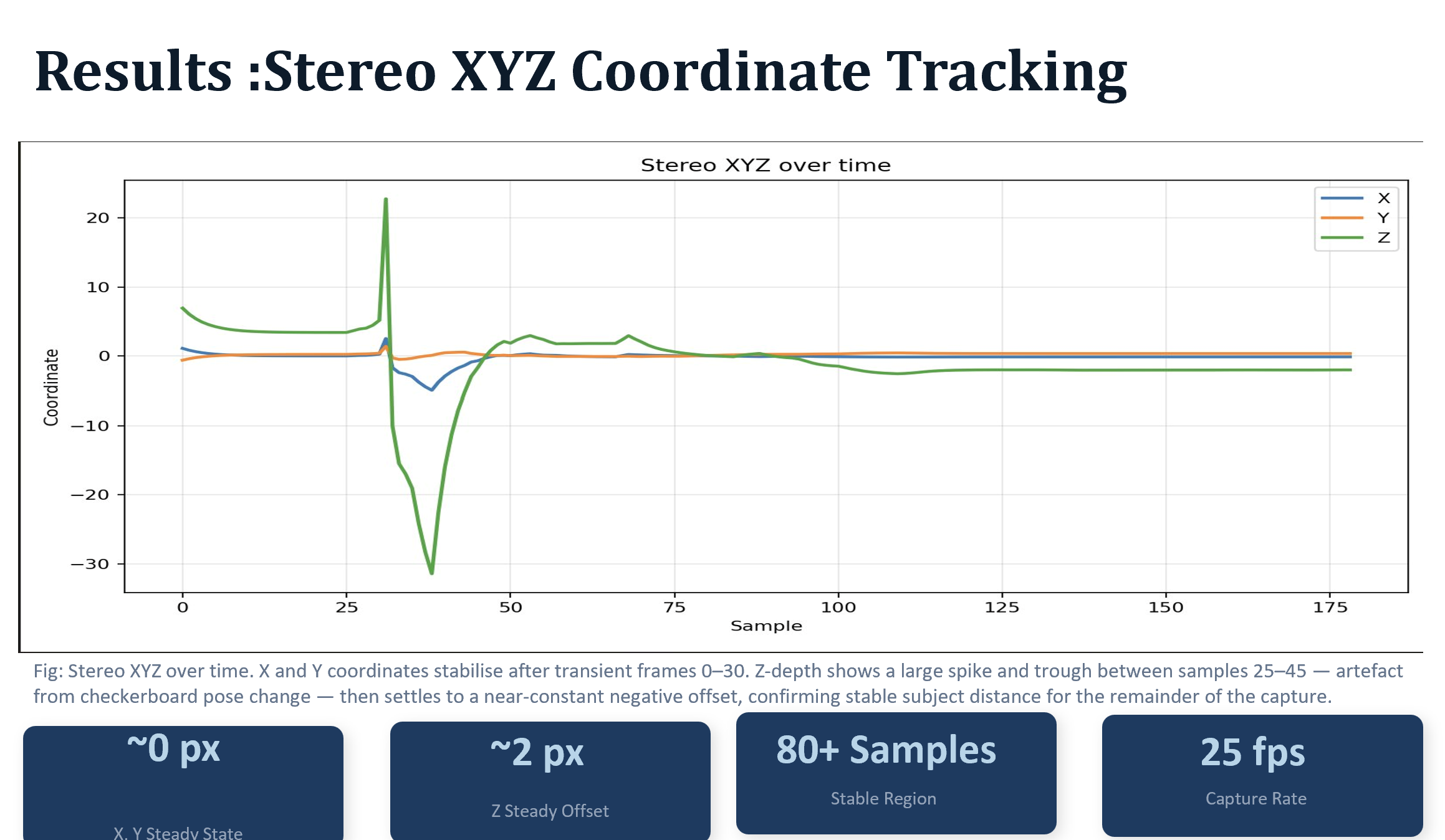
Fig: Stereo XYZ over time. X and Y coordinates stabilise after transient frames 0–30. Z-depth shows a large spike and trough between samples 25–45 — an artefact from a checkerboard pose change during calibration — before settling to a near-constant negative offset, confirming stable subject distance for the remainder of the capture.